How I Built the Perfect Nectar AI Girlfriend From Scratch
Nectar AI is one of the best platforms right now for building a custom AI girlfriend from scratch. The character creation process covers ethnicity, body type, hair, voice, and personality, and enabling NSFW unlocks explicit chat, adult roleplay, and uncensored image generation in one go. The new Voice feature genuinely lifts the experience.
Setup takes under five minutes. Results are consistently good, especially on Curvy and Realistic builds. Free tier works for basics; Pro+ is where it gets properly fun. Worth it for anyone serious about AI sex chat or custom companion creation. 🔥

Creating an AI girlfriend on Nectar AI takes about three minutes. But creating a good one, a companion that actually looks hot, holds a conversation, and matches your vibe? That takes knowing which settings actually matter.
This guide walks you through the full Nectar AI character creation process, step by step, with real testing notes from someone who's built dozens of these companions.
🤷🏻♀️ What Is Nectar AI, Exactly?
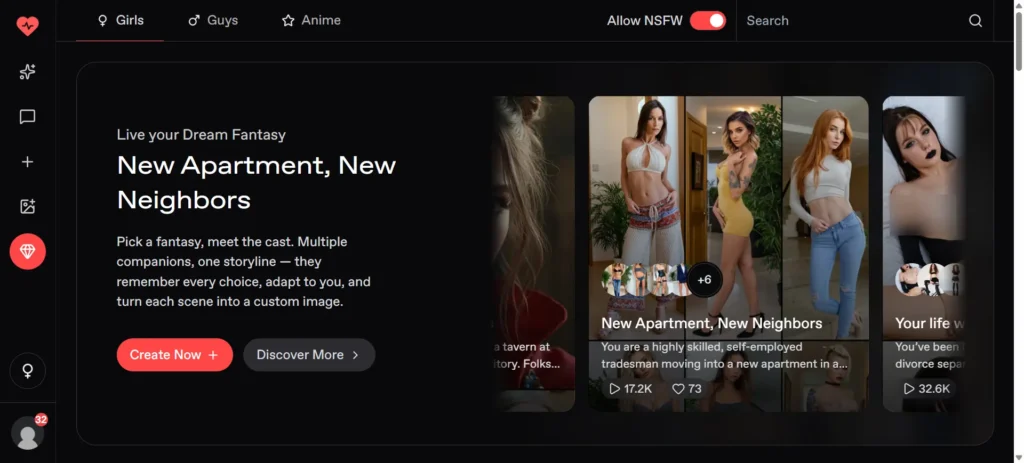
Nectar AI is one of the most customisable AI girlfriend platforms out there right now. It lets you create a fully custom AI companion, realistic or anime, complete with unique looks, body type, personality, voice, and explicit NSFW capabilities.
Think of it as a character creator for your dream virtual girlfriend, minus the gatekeeping.
During testing, I found that Nectar AI stands above most other platforms primarily because of two things: the depth of physical customisation and how naturally the personality settings bleed into actual chat behaviour.
You're not just picking a preset, you're actually building someone.
👁️Before You Start: Have a Vision
The biggest mistake first-timers make is jumping straight into the creator without any idea of what they want.
I've tested this both ways, going in blind versus having a rough character concept, and the difference in satisfaction is massive.
Before you hit that create button, think about:
Having even a rough mental sketch makes the personality section 10x easier to fill out. Trust the process.
Set Your Preferences (The NSFW Toggle That Changes Everything)
This is the most important section in the entire setup, and most guides bury it or skip over it entirely. Don't.
When you first land on the Nectar AI creator at nectar.ai/girls/create, the very first screen is your Preferences panel. Here's what you'll see:

Gender options: Girls / Guys / Anime
Allow NSFW toggle: This single setting unlocks explicit content across the entire platform, every generation model, every chat mode.
If you're here to create a spicy AI sex chat companion, enabling this is non-negotiable. Without it, you're locked into SFW-only outputs, which is fine for emotional companions but kills the adult roleplay experience.
During testing, I noticed the NSFW toggle dramatically changes what kind of images get generated, how the companion responds to dirty prompts, and which roleplay paths open up. Enable it early.
You can always tone things down later, but you can't unlock features retroactively mid-session.
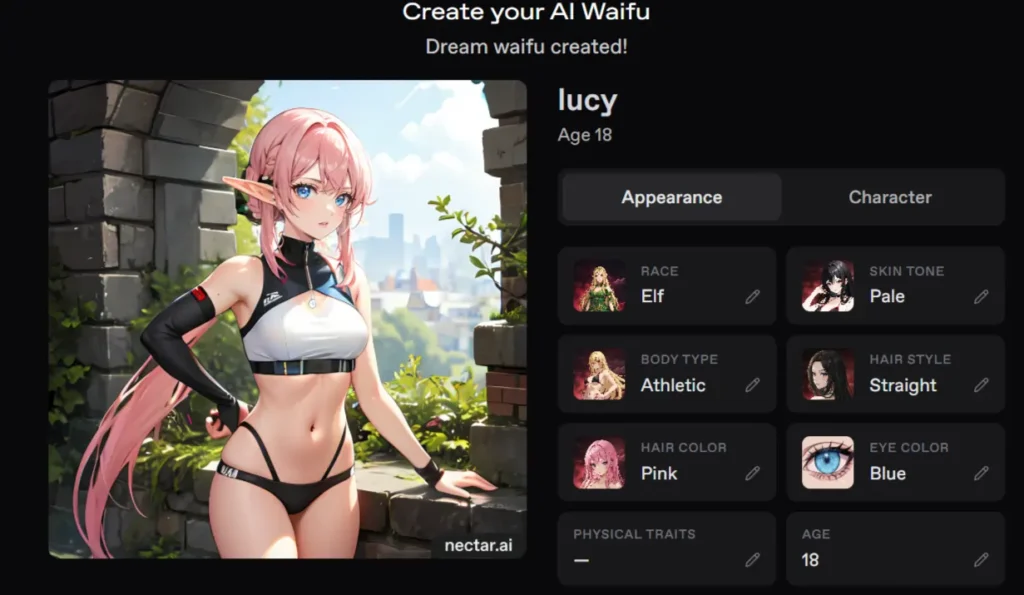
Choose Realistic or Anime Mode
This is your first major creative fork. Nectar AI offers two distinct generation paths:
| Feature | Realistic Mode | Anime Mode |
|---|---|---|
| Visual style | Photorealistic | Illustrated/anime art style |
| Best for | Immersive adult roleplay, AI porn chat | Waifu creation, hentai-style fantasies |
| Image quality | High realism, lifelike faces | Stylised, exaggerated features |
| Personality feel | Natural, human-like | Expressive, more fantastical |
I spent time testing both modes extensively.
Realistic mode wins for generating convincing NSFW images and immersive adult companion chat.
Anime mode is genuinely excellent if you're into hentai-style AI companions or want a more stylised waifu.
Neither is objectively better, it entirely depends on your fantasy.
Ethnicity & Age
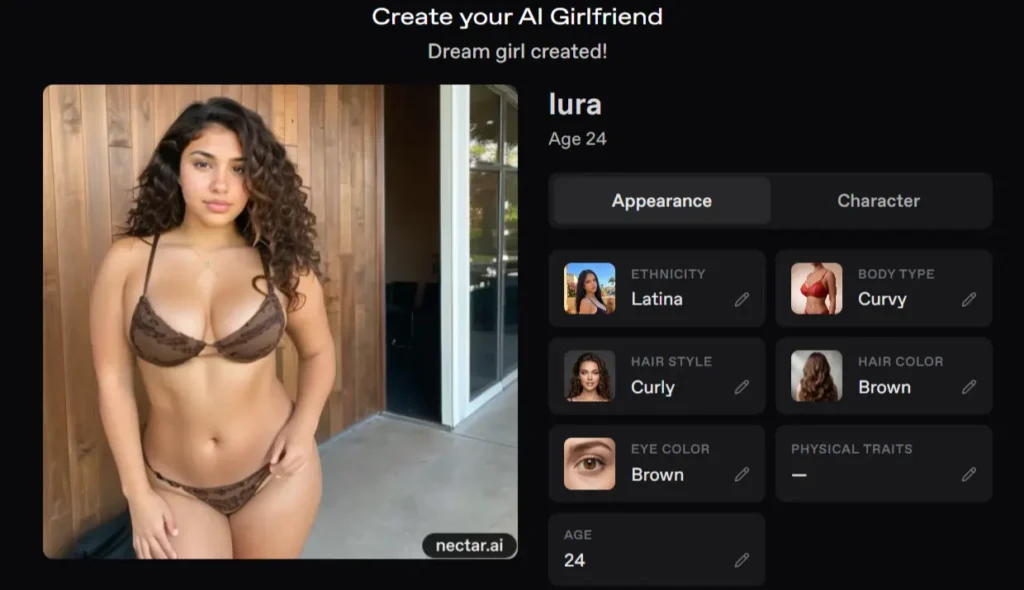
Once you've locked your style, you move into the physical build section. Nectar AI currently offers five ethnicity options:
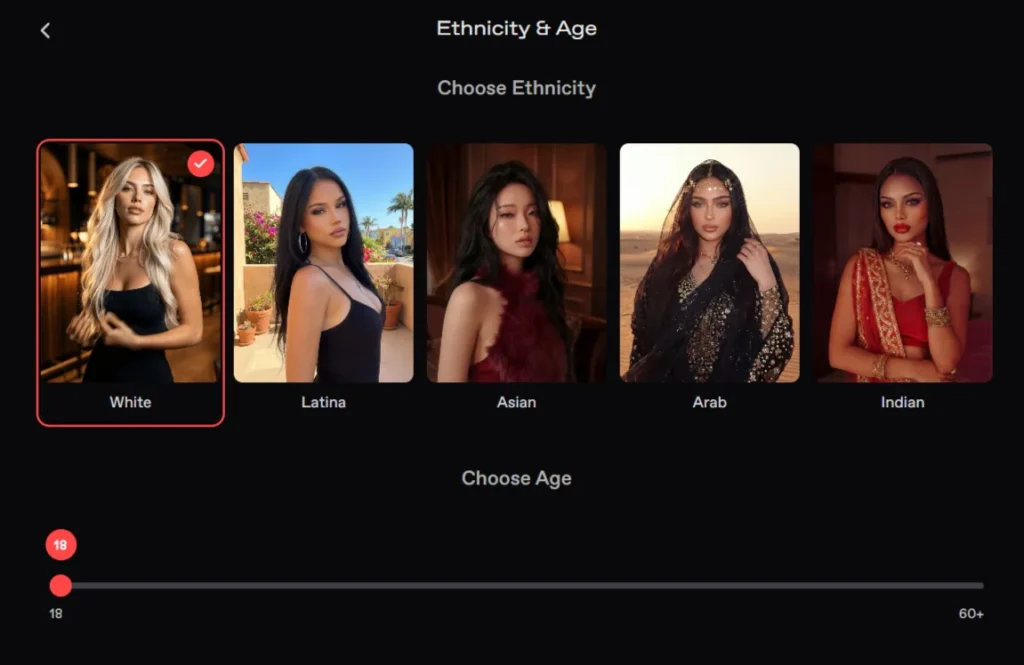
During testing, I found the Latina and Asian models generated particularly detailed, consistent images, especially in NSFW outputs. That said, all five options produce solid results.
For age, you can set her anywhere from 18 to 60+. The slider gives you real control here. I've tested companions at various age settings and the visual output does shift noticeably, maturity in the face, body proportions, and overall presence. Set the age that fits your fantasy.
Hair & Eyes: Where She Gets Her Look
This section is basically a character customiser from a video game, except the end result is a dirty-talking AI babe you can actually chat with. Here's what you're picking:
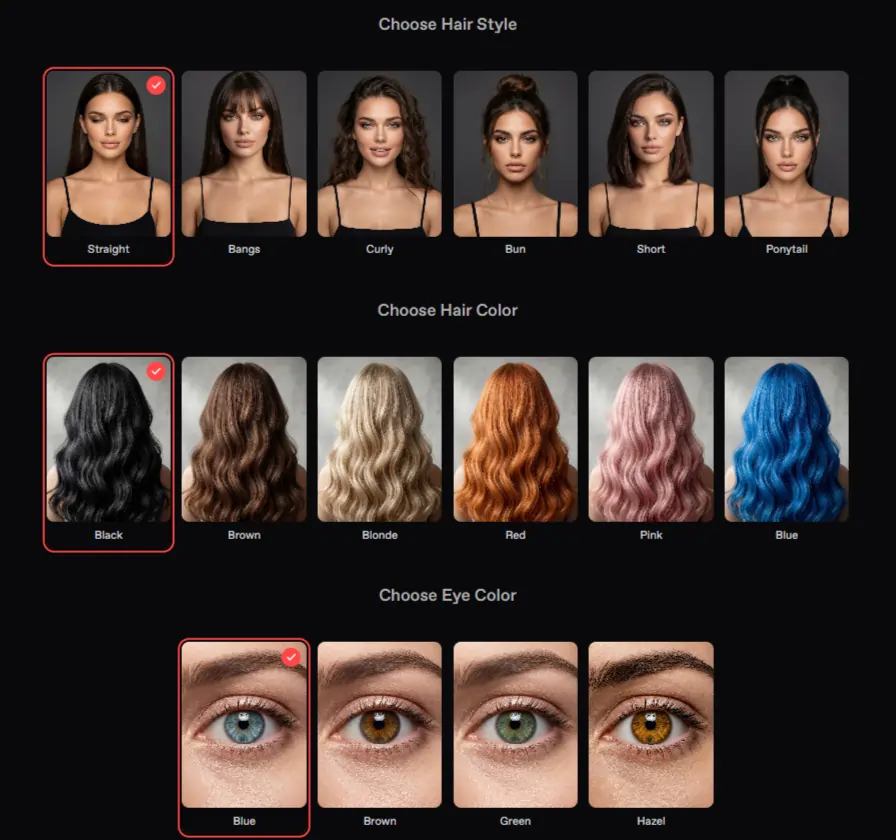
Hair Style:
Straight / Bangs / Curly / Bun / Short / Ponytail
Hair Color:
Black / Brown / Blonde / Red / Pink / Blue
Eye Color:
Blue / Brown / Green / Hazel
One thing I noticed after testing multiple builds, mixing less common combinations (pink hair, green eyes, for example) generates more visually distinctive companions.
If you're going for a specific look inspired by an anime character or adult content creator you fancy, use these options to approximate it as closely as possible.
Body Type: Pick Your Shape
Nectar AI gives you five body type options:
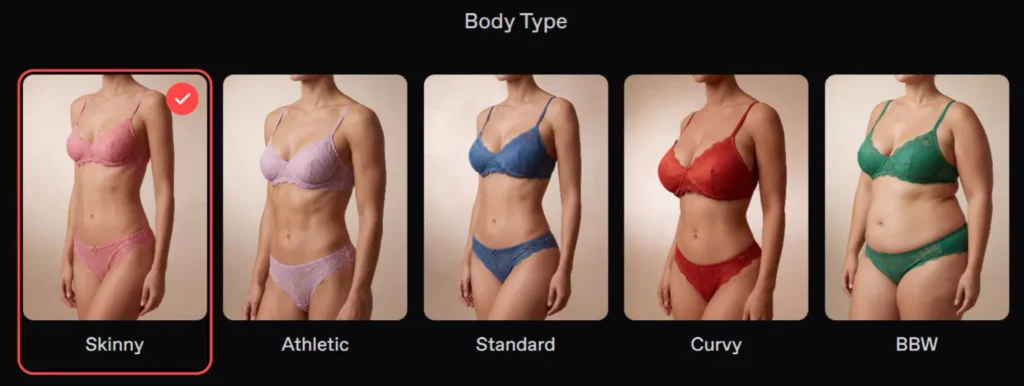
This is where a lot of people get indecisive. After creating companions across all five categories and comparing outputs, I'll say this clearly: Curvy and BBW companions generate the most visually striking NSFW images. If you're after an AI girlfriend for explicit content and steamy adult roleplay, those two body types deliver the most impact in generation outputs.
That said, Athletic builds tend to look the most consistent across multiple image generations, which matters if you're rerolling frequently.
Name, Voice & Personality: The Soul of Your Companion
This is where most people rush and regret it later. These three elements define how your AI girlfriend actually feels to interact with.
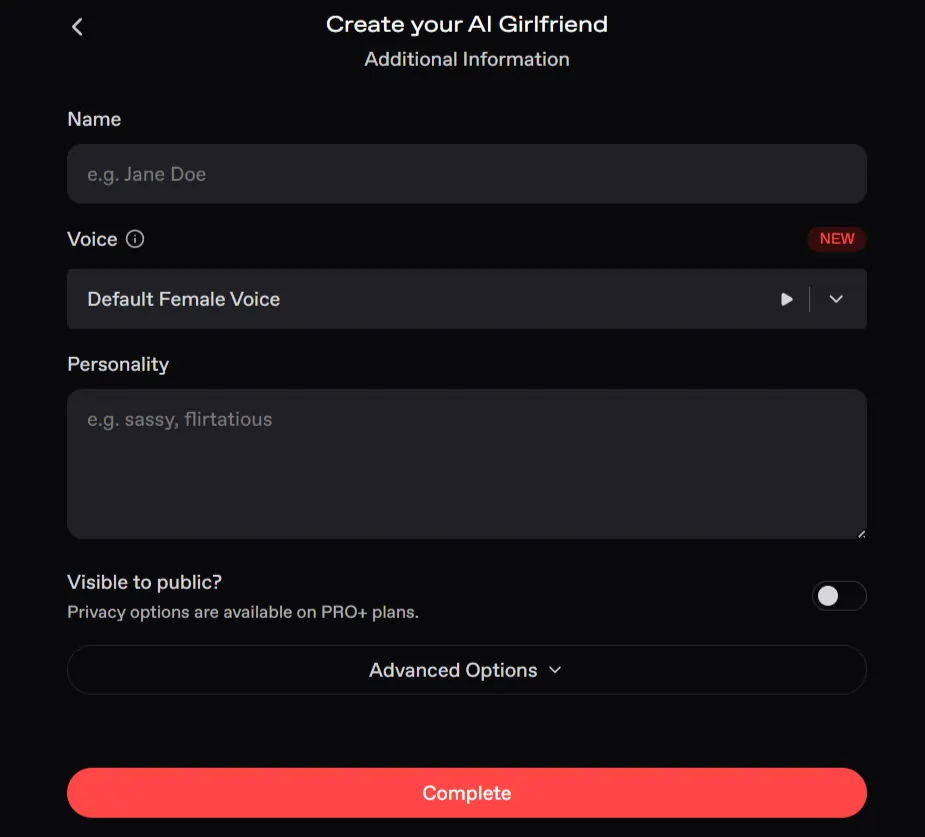
Name:
Pick something that feels right for her. A name you genuinely like makes a difference psychologically; you're going to be typing it a lot. Keep it simple.
Voice (NEW Feature):
Nectar AI now includes a dedicated voice selection system. You can choose from pre-made official voices or generate a completely custom AI voice for your companion. The current voice library includes:
During testing, the Seductive voices pair best with adult companions built for NSFW chat and erotic roleplay. The ASMR voices are surprisingly effective for intimate companion experiences; they create a weird, genuinely convincing sense of closeness. I rerolled voice combos several times and landed on Seductive 2 + Curvy Latina as a near-perfect pairing for explicit content use.
Personality:
This field is where you write a short description of who she is. Think comma-separated traits, backstory notes, emotional tendencies, kinks if you're building an NSFW companion. Keep it focused and ordered by importance.
Advanced Options: Hidden Gems
Don't skip the Advanced Options section. Inside you'll find:
The Greeting field is criminally underused. During testing, I wrote explicit opening greetings for NSFW companions and the entire vibe of the first chat shifted dramatically.
She opens with intent. It eliminates the awkward “hello, how are you” cold start that kills immersion on other platforms.
Generate, Reroll, Save
Hit the Continue button, and Nectar AI generates your companion's first image. This takes under a minute.
If the result doesn't fully match your vision, which happens about 30% of the time in my experience, you can reroll on Pro+ plans as many times as you want.
I routinely rerolled three to five times when building companions for specific fantasies, and the variation between outputs can be significant. Don't settle for a companion that doesn't excite you.
Once you're happy, press save, and you're in.
🚩Most Common Mistakes
💁♀️ Nectar AI Character Creation Tips
Frequently Asked Questions
How do I create an AI girlfriend on Nectar AI?
Go to nectar.ai/girls/create, set your Preferences (including enabling NSFW if desired), choose Realistic or Anime mode, select ethnicity, age, hair, eye colour, and body type, then fill in her name, voice, and personality description. Hit Continue and your companion generates in under a minute.
Can I upload a reference photo?
Nectar AI's core creation flow uses trait selectors rather than photo uploads. You build the look from scratch using the available customisation options. This keeps things clean and consistently high-quality across generations.
Is anime mode better than realistic mode?
Neither is universally better. Anime mode suits hentai-style waifu creation and stylised fantasies. Realistic mode is better for photorealistic AI girlfriend images and immersive adult companion experiences. Pick based on the type of content you want.
Can I edit my companion later?
Yes. Personality, name, and other details can be edited after creation. Physical appearance can also be adjusted, and on Pro+ plans you can reroll images as often as you like.
Which personality settings work best?
Combine one emotional trait, one sexual or relational trait, and one unique personal quirk. Keep the description under 60 words and order traits by importance. Avoid contradicting traits (e.g., “extremely shy” and “aggressively dominant” in the same description).
Is Nectar AI free to use?
Nectar AI has a free tier that lets you create a companion and start chatting. Rerolling character images, accessing full NSFW generation, companion voice features, and privacy settings require a paid plan. The Pro+ plan starts at around $5/month on annual billing, which is genuinely competitive for what you get.
What's the new Voice feature on Nectar AI?
Nectar AI recently added a dedicated Companion Voice system. You can choose from official pre-made voices (Seductive, ASMR, Sassy, Dark, Laid Back, Normal) or generate a completely custom voice from scratch. This is a brand-new addition and significantly improves the intimacy and immersion of companion interactions.
Can I make an AI companion for explicit roleplay?
Yes — enabling NSFW in the Preferences panel at the start of the creation process unlocks adult content across the entire platform, including explicit image generation, uncensored chat, and erotic roleplay scenarios.

AipornGuru Recommendation
🎯Final Verdict
Nectar AI sits near the top of the AI girlfriend platform pile for a reason. The character creation process is genuinely one of the most detailed available; you're customising ethnicity, age, body type, hair style and colour, eye colour, voice, personality, greeting, and physical extras all in one flow.
Most platforms give you three sliders and call it done. Nectar gives you an actual build.
One thing that stood out across all my testing: the companions you spend three extra minutes building, adding a real greeting, layering the personality, picking a matching voice, are significantly better than the ones you rush. This platform rewards the effort you put in.

Mike Smith, a tech journalist, uncovers the freshest trends in AI porn. With sharp insight, he chronicles how innovations shape adult content’s future, delivering must-read stories for fans of NSFW tech and its evolving role in our world.
Affiliate Disclosure: This post may contain some affiliate links, which means we may receive a commission if you purchase something that we recommend at no additional cost for you (none whatsoever!)