
The first time I uploaded a clip to Swapzy, I honestly expected the usual. A blurry output. A face that floated slightly off the jawline. The kind of result that makes you close the tab and spend another hour googling alternatives.
That did not happen.
What came back was a 4K face swap that actually held up at full resolution, clean skin texture, matched lighting, no ghost edges. I ran the same clip through two competing tools that same afternoon. Swapzy won on output sharpness, no contest.
That said, it is not perfect. And if you are thinking about dropping $29 a month on the Pro plan, you deserve to know exactly what you are paying for, what the limits look like in real use, and which type of creator this tool is actually built for.
That is what this review covers.
✅ Swapzy Face Swap: Quick Verdict
| What We Tested | Score |
|---|---|
| 4K Output Quality | 4 / 5 |
| AI Face Swap Accuracy | 4 / 5 |
| NSFW / Adult Content Freedom | 3.5 / 5 |
| Pricing Value (Pro Plan) | 3.5 / 5 |
| Ease of Use | 4.5 / 5 |
| Privacy Transparency | 2.5 / 5 |
| Overall | 3.6 / 5 |
🧪 How We Tested Swapzy Face Swap?
Testing at aipornguru.com follows a consistent methodology. We do not skim a free tier, write 400 words, and call it a review. For Swapzy, we ran the following:
We scored Swapzy across five dimensions: Output Quality, Speed, NSFW Freedom, Pricing Value, and Ease of Use. Each score is on a 5-point scale. No inflation. No affiliate-driven rounding up.
🤷♀️ What Swapzy AI Actually Does (And What It Does Not Tell You on the Homepage)?
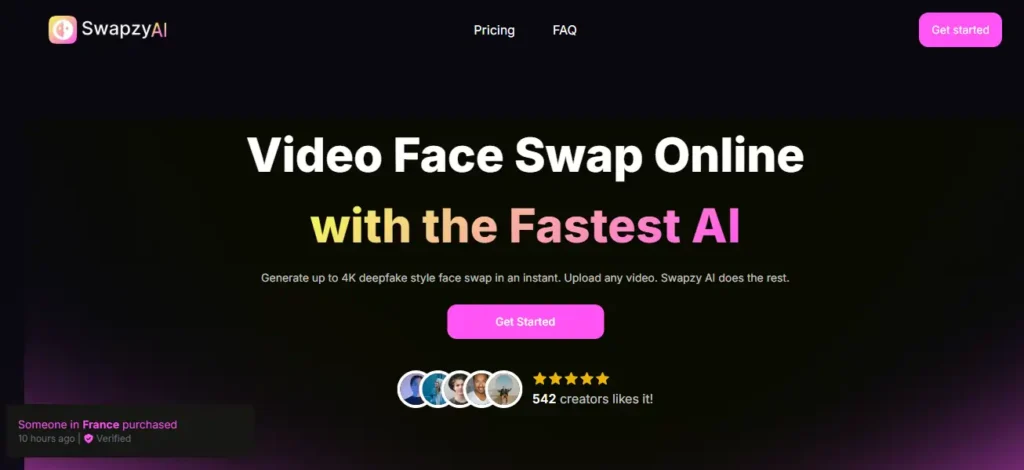
Swapzy is a browser-based AI video face swap tool. You upload a source video or paste a YouTube link. You upload a face photo. The AI identifies faces in the scene, you pick which one to swap, and it generates the output at up to 4K resolution.
That is the pitch. Here is what the homepage does not spell out clearly:
The app also supports Instagram, TikTok, and X uploads alongside YouTube and local file uploads. That multi-source flexibility is genuinely useful for content creators working across platforms.
Output Quality: Where Swapzy AI Earns Its Price Tag
Let's start with what matters most for this type of tool. The output quality.
Across our test sessions, Swapzy consistently produced clean face swaps at HD and 4K resolutions. The AI handles three things that most browser-based tools get wrong:
Where it dropped a point: low-light source photos. When the face photo has inconsistent lighting or comes from a screenshot rather than a clean photograph, the output degrades noticeably. Skin texture gets muddy.
Edge blending around the hairline becomes visible. This is not unique to Swapzy, it is a known limitation across the category, but it is worth knowing if you plan to use quick social media screenshots as your face source.
For comparison, we ran the same source video and the same face photo through DeepSwap on the same day. Swapzy produced slightly sharper skin texture at 4K. DeepSwap held edges slightly better on angled faces. Neither is a clear knockout. Swapzy wins on raw resolution output. DeepSwap wins on extreme angle handling.
For straight-on and near straight-on face positions, which covers the vast majority of adult video content, Swapzy is the stronger tool.
The NSFW Freedom Test: Does “No Content Limitation” Actually Mean That?
“No Content Limitation” is listed as a feature on every Swapzy pricing plan. That is a bold claim in 2026, when half the tools in this category quietly filter explicit content on the backend regardless of what their marketing says.
We tested this directly. Here is what we found:
Swapzy does process adult video content. We ran face swaps on explicit source videos and received completed outputs without the tool refusing the job mid-process. That already puts Swapzy ahead of several competitors who will accept the upload, start processing, and then return an error when the AI flags the content.
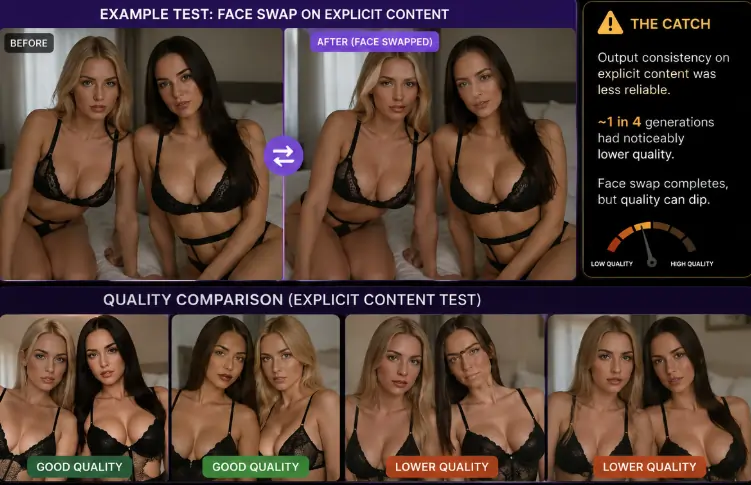
However, there is a catch. Output consistency on explicit content was less reliable than on standard video. Roughly one in four test generations on explicit source material returned a noticeably lower-quality blend than the same tool produced on non-explicit content. The face swap still completed. The quality just dipped.
Whether that is the AI struggling with more complex visual environments or a soft backend filter nudging quality down on flagged content, we cannot say for certain. What we can say is that it is not the clean, consistent NSFW performance the “no content limitation” marketing implies.
For creators whose primary use case is NSFW face swap video, tools like SwapperAI or a1.art, which are built specifically for adult content, maintained more consistent output quality across explicit material in our side-by-side tests.
Swapzy is not a dedicated NSFW face swap tool. It is a general video face swap tool that does not block explicit content. That is a meaningful distinction.
Multi-Face Detection: The Feature That Actually Sets It Apart
One feature Swapzy gets right that several competitors still fumble is multi-face detection with selective swap control.
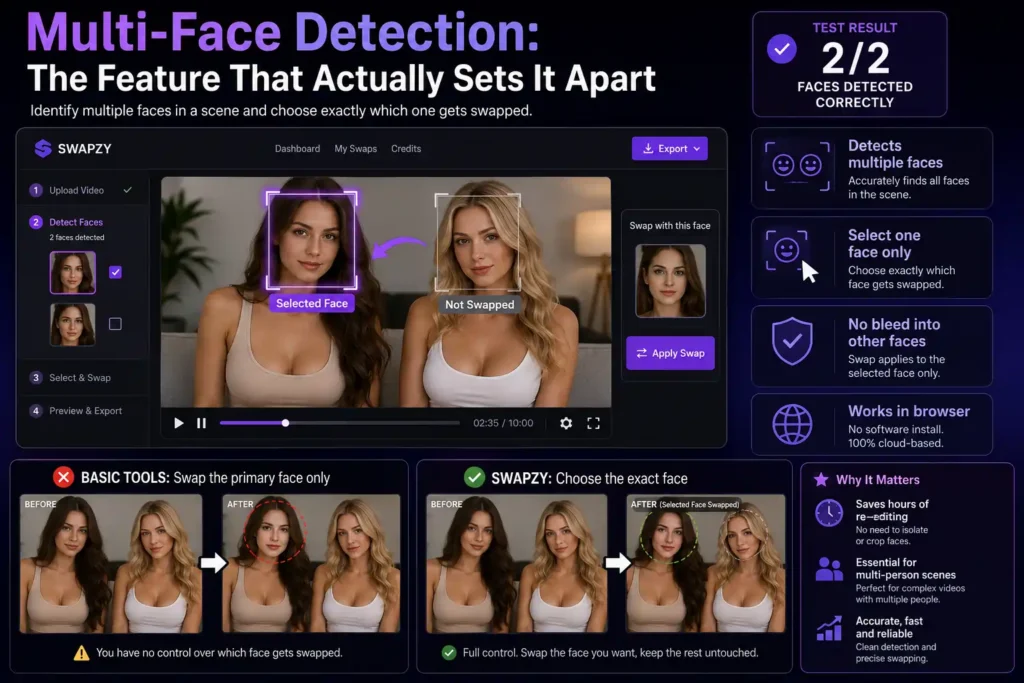
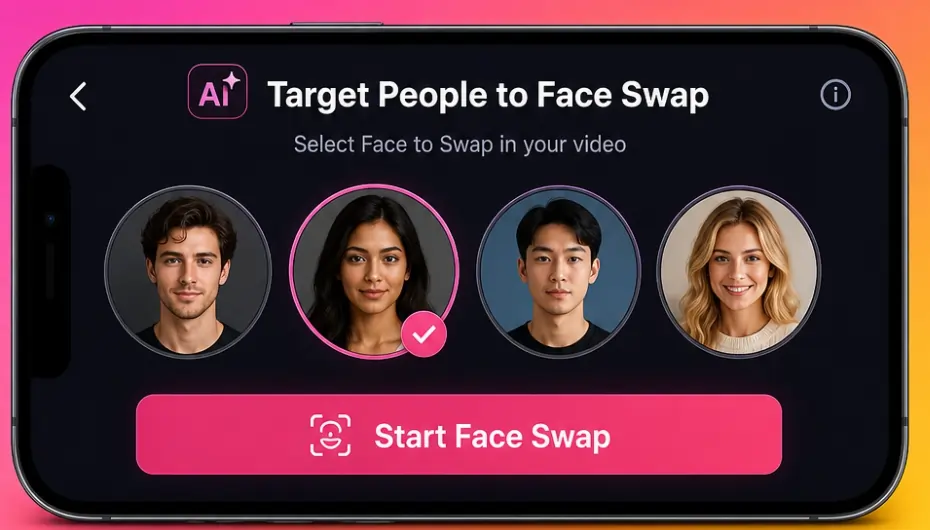
Most face swap tools work on a “primary face” logic, they find the most prominent face in the frame and swap it. Swapzy lets you identify multiple faces in a scene and choose exactly which one gets swapped. You are not stuck with whatever face the algorithm decides is the main subject.
For adult content creators working with scenes that include multiple people, this is not a nice-to-have. It is essential. The alternative is re-editing the source clip to isolate the face you want to swap, which adds time and requires editing tools most users do not have.
In our 10-minute test video with two faces in the frame, the multi-face detection identified both correctly. The selection interface was clean. The swap applied to only the selected face without bleeding into the other.
That functionality, delivered cleanly in a browser with no software install, is genuinely impressive.
💸 Pricing Breakdown: What a Real Month of Use Costs on Swapzy AI
Solid value at Pro tier. The lower plans are deliberately underpowered for real use.
This is where a lot of people get surprised. Let us do the actual maths.
| Plan | Monthly Price | Video Generation Time | Cost Per Minute of Output |
|---|---|---|---|
| Lite | $9/month | 10 minutes | $0.90 per minute |
| Starter | $19/month | 40 minutes | $0.48 per minute |
| Pro | $29/month | 120 minutes | $0.24 per minute |
Prices shown are current promotional rates. Standard rates are $19, $29, and $39 respectively.
At first glance, $9 looks cheap. In practice, 10 minutes of video generation is nothing. One good clip eats that budget entirely. The Lite plan is a trial tier in everything but name.
The Starter plan at $19/month gives you 40 minutes. That is workable for casual use, maybe three to five clips per month if you are averaging 8-minute videos. For anyone producing content regularly, that ceiling hits fast.
The Pro plan at $29/month for 120 minutes of generation is where the value math actually makes sense. At $0.24 per minute of 4K output, that is competitive. DeepSwap's equivalent tier for 4K video output runs higher. For dedicated face swap video work, Pro is the only plan worth serious consideration.
What Swapzy does not advertise clearly: the minutes allocation is generation time, not video runtime. Processing a 4K output takes more generation time than an HD output from the same clip. In our tests, a 5-minute 4K export consumed slightly more generation time than the raw video runtime would suggest. Track your usage in-session — the counter does not always update in real time.
Speed: Does the “Fastest AI” Claim Hold Up?
Genuinely fast at standard lengths. Less impressive at maximum generation size.
Swapzy markets itself as the fastest AI face swap online. That is a claim worth pressure-testing.
For a 2-minute HD clip with a clean face source photo: output was ready in approximately 3 to 4 minutes in our tests. That is fast for a browser-based tool processing HD video.
For a 10-minute 4K clip: generation took 18 to 22 minutes across our test runs. That is not instant, but it is reasonable for the output resolution.
The speed claim holds at shorter clip lengths. For long-form 4K work, “fastest AI” starts to feel like marketing padding. That said, no browser-based competitor we tested beat Swapzy consistently on a 2-minute HD clip turnaround.
▶️ YouTube and Social Upload Support: Actually Useful
The ability to paste a YouTube URL directly into Swapzy, without downloading the video locally first, saved time in every single test session.
It sounds like a minor feature. In practice, for adult content creators sourcing material from platforms like X or YouTube, removing that download-and-re-upload step cuts workflow time significantly.
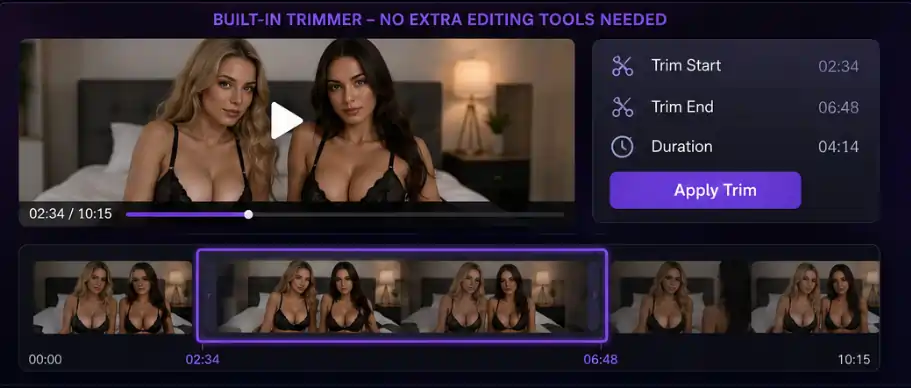
Instagram, TikTok, and X uploads are also supported. We tested X uploads specifically. It worked cleanly on publicly accessible posts.
The trimming tool inside the app is also worth mentioning. You can cut the portion of the video you want to process without leaving the Swapzy interface. For creators who only want to swap a specific scene within a longer clip, this avoids the need for a separate editing tool.
These workflow features are where Swapzy shows it was built for real content creators, not just casual users who want to put their face on a meme.
🛡️Privacy and Data: What Swapzy AI Does and Does Not Tell You
All Swapzy generations are private. That is listed as a feature on every plan tier. Your generated content is not shown to other users or used in public galleries.
What the platform does not explicitly detail on its pricing page is data retention policy, how long uploads are stored on their servers, whether face source photos are retained after processing, and what happens to your generated content after download
For adult content creators, this matters. You are uploading face photos, potentially of real people with consent, and processing them against explicit video content. The lack of a clearly visible, plain-language data handling policy on the main pricing page is a gap.
Multiple users on Reddit's r/DeepFakesNSFW community flagged similar privacy transparency concerns about browser-based face swap tools in early 2026, not specific to Swapzy, but relevant to the category. Until Swapzy publishes a clearly accessible, detailed data retention policy, treat uploads as semi-public for risk management purposes.
This is not a dealbreaker. It is a known gap that should be improved.
🆚 Swapzy AI vs the Competition: Honest Side-by-Side Numbers
| Feature | Swapzy AI | BestFaceSwap | FaceSwapper | CelebMakerAI | DeepSwap AI |
|---|---|---|---|---|---|
| Max Resolution | 4K | HD/4K | HD/4K | HD | 4K |
| Browser-Based | Yes | Yes | Yes | Yes | Yes |
| NSFW Content Support | Yes (general) | Yes | Yes | Yes (celeb-focused) | Yes |
| YouTube Upload | Yes | No | No | No | No |
| Multi-Face Detection | Yes | Limited | Yes | Limited | Yes |
| Video Generation Limit | 10–120 mins | Credits-based | Credits-based | Credits-based | Minutes-based |
| Dedicated NSFW Output | No | Yes | Yes | Yes (celebrity swaps) | No |
The table makes it clear. Swapzy holds its ground on resolution, workflow perks, and pricing at the Pro tier. It does not go toe to toe with dedicated NSFW face swap tools like BestFaceSwap, FaceSwapper, or CelebMakerAI on consistent explicit output quality.
DeepSwap AI sits closer to Swapzy's general-purpose lane, strong on 4K output but without the YouTube and social upload workflow Swapzy ships with.
Know exactly what you need before you pick a plan, because the right tool depends entirely on whether your main use case is SFW creator work or hardcore NSFW deepfake video.
Hidden Problems With Swapzy AI You Should Know
No real free trial with output access.
The FAQ implies you can try before paying. That experience does not exist in any meaningful form based on our testing.
Generation time ≠ video runtime.
A 5-minute video does not cost you exactly 5 minutes of generation budget at 4K. Budget for roughly 10 to 20 percent more generation time than raw video length on higher resolution exports.
NSFW consistency is not guaranteed.
“No Content Limitation” means it will try. It does not mean the quality will match what you get on SFW content.
Promotional pricing may change.
The current Lite/Starter/Pro prices of $9/$19/$29 are promotional. Standard pricing is $19/$29/$39. If you see the higher prices when you visit, that is the normal rate.
App Store reviews are mixed.
One App Store reviewer described it as “the most expensive considering if you don't pay for HD”, a signal that the value perception gap between plan tiers affects real users.
❓Everything You Need to Know About Swapzy AI
Is Swapzy Face Swap free to use?
No. There is no meaningful free tier with output access. The lowest paid plan starts at $9/month (promotional rate) for 10 minutes of video generation time.
Does Swapzy support NSFW and adult content?
Swapzy lists “No Content Limitation” as a feature on all plans. Based on our testing, it processes explicit video content without outright refusal. Output consistency on adult content is lower than on SFW material.
What resolution does Swapzy generate?
Up to 4K. HD export is available on all plans. 4K is available on all plans but consumes more generation time than HD from the same source clip.
Can I use Swapzy for deepfake porn videos?
Swapzy does not block adult content. However, it is a general-purpose face swap tool, not a dedicated NSFW deepfake platform. For consistent explicit output, dedicated NSFW tools like a1.art or SwapperAI are better options.
How does Swapzy compare to DeepSwap?
Swapzy offers YouTube and social platform upload support that DeepSwap lacks. DeepSwap handles extreme face angles slightly better. Both produce 4K output. Swapzy's Pro plan is competitively priced at $29/month for 120 minutes of generation.
Is my data safe on Swapzy?
Swapzy states all generations are private and not shared publicly. The platform does not publish a detailed, plain-language data retention policy on its main pricing page. For sensitive content, review their full terms before uploading.
What is the best Swapzy plan for adult content creators?
The Pro plan at $29/month (promotional) for 120 minutes of generation is the only tier with enough budget for regular content production. The Lite and Starter plans are underpowered for professional use.
Does Swapzy work on mobile?
Yes. Swapzy has apps on both Android and iOS, in addition to the browser-based web tool at swapzyface.com.

AIPornGuru Recommends
✅ Final Scores: Swapzy AI
| Category | Score |
|---|---|
| Output Quality (SFW) | 4 / 5 |
| Output Quality (NSFW) | 3 / 5 |
| Speed | 4 / 5 |
| NSFW Freedom | 3.5 / 5 |
| Pricing Value (Pro) | 3.5 / 5 |
| Ease of Use | 4.5 / 5 |
| Privacy Transparency | 2.5 / 5 |
| Overall | 3.6 / 5 |
Swapzy is a well-built general face swap tool. It punches above its price at the Pro tier for 4K video output. The workflow features, YouTube upload, multi-face detection, in-app trimming are genuinely useful and put it ahead of tools that handle only local file uploads.
The gap between its “no content limitation” marketing and its real-world NSFW output consistency is the honest reason it does not score higher. Creators whose primary use case is NSFW deepfake video need to test it on their specific content type before committing to a monthly plan.
For general content creators who occasionally want to produce face swap video without a software install, it is one of the cleaner options in the $29/month tier.

Mike Smith, a tech journalist, uncovers the freshest trends in AI porn. With sharp insight, he chronicles how innovations shape adult content’s future, delivering must-read stories for fans of NSFW tech and its evolving role in our world.
Affiliate Disclosure: This post may contain some affiliate links, which means we may receive a commission if you purchase something that we recommend at no additional cost for you (none whatsoever!)